
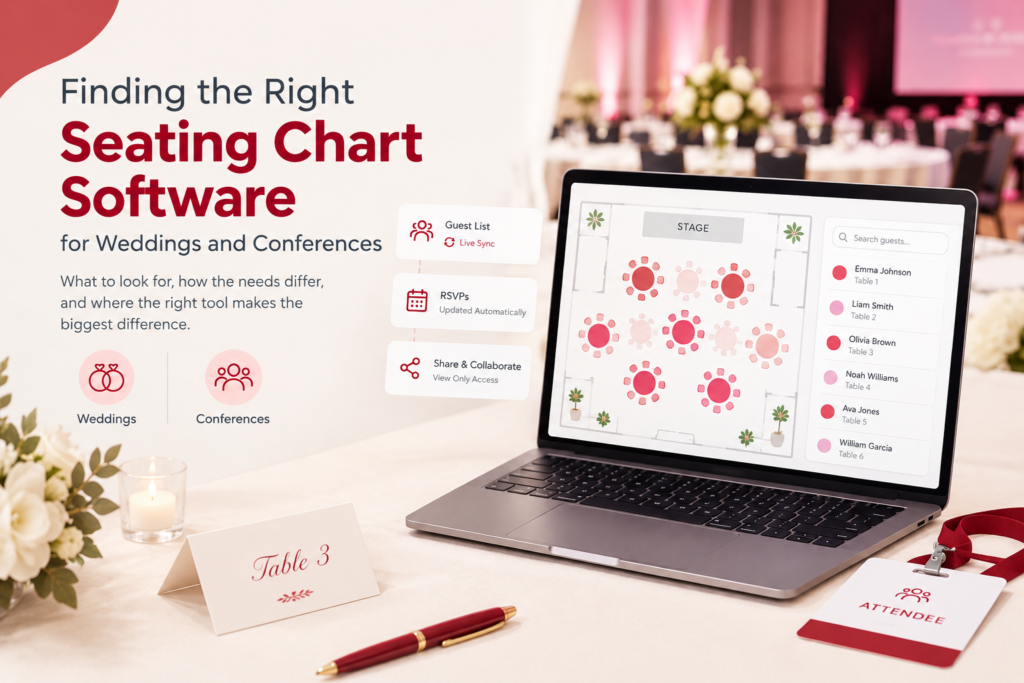
Somewhere between the third spreadsheet revision and the fifth “wait, can we move the Johnsons away from the Smiths” conversation, most people planning an event start looking for actual seating chart software. The problem is that “seating chart software” covers a wide range of tools, from simple drag-and-drop planners to features buried inside much bigger event platforms. What counts as the best one depends heavily on what you are actually planning.
What seating chart software actually needs to do
Strip away the marketing language and there are really only a handful of things that matter:
• Visual, drag-and-drop table arrangement: You should be able to see the room, not just a list of names.
• A live connection to your guest or attendee list: A seat assignment should reflect who is actually confirmed, not who you assumed would show up.
• Easy sharing: You should be able to share the chart with a partner, planner, venue coordinator, or events team without emailing screenshots back and forth.
• The ability to scale: The software should work for everything from a 60-person reception to a 2,000-person conference floor without falling apart.
Most of what separates a genuinely useful tool from a frustrating one comes down to how well it handles that second point: whether the seating chart is actually connected to real guest data, or just a shape-pushing exercise that lives in its own bubble.
Weddings and conferences need different things
It is easy to lump seating chart software into one category, but the actual requirements diverge quickly.
For weddings, the priorities are usually:
• Grouping guests by relationship or family, not just table number.
• Tracking RSVPs and dietary restrictions alongside the seat assignment itself.
• Sharing a live, view-only version with a partner, parents, or wedding planner.
• A chart that looks good enough to hand to the venue or print for the welcome table.
For conferences and corporate events, the priorities shift toward:
• Bulk importing hundreds or thousands of registrants at once, not adding guests one by one.
• Assigning seating by session, track, or sponsorship tier rather than personal relationships.
• Connecting seating to badge printing and check-in, since attendees need to move through registration quickly.
• Handling scale without slowing down as the guest count grows into the thousands.
A tool built primarily for one of these tends to feel awkward for the other. A wedding-focused planner rarely handles multi-track badge logic well, and a conference registration system rarely has an easy way to note “seat cousin Priya away from her ex.”
Standalone planners vs. built-in seating tools
Broadly, seating chart tools fall into two categories, and the trade-off between them matters more than any individual feature.
Standalone seating planner apps are usually good at the visual part: dragging tables around, arranging shapes, and making something that looks polished. Where they tend to fall short is the connection to the rest of your event. If a guest RSVPs or a registrant signs up through a separate ticketing tool, that information often has to be entered into the seating planner separately. Two systems mean two data entries and two places for the numbers to drift apart.
Seating tools built into a ticketing or event platform keep the seating chart connected to live RSVP or registration data. When someone confirms or cancels, the chart reflects it automatically, with no manual syncing and no risk of the printed chart disagreeing with the actual guest list.
Neither approach is universally better. A standalone planner can be the right choice for someone who already has their guest list finalized and just needs a clean visual layout. But for anyone actively managing RSVPs, registrations, or ticket sales up until the event itself, keeping seating and guest data in the same system tends to save real time.
A checklist before you commit to one
Whatever you are evaluating, it is worth checking for:
• Does it actually sync with RSVPs or ticket sales, or does seating live in its own separate spreadsheet-like space?
• Can you share a live, view-only version with a partner, planner, or events team, rather than just exporting a static image?
• Does it scale to your real guest count? A tool that is smooth at 50 guests can slow down badly at 500 or 2,000.
• Is guest data, such as dietary notes, plus-ones, and session tracks, attached to each seat, or just the seat number itself?
• Is pricing transparent, and does it stay reasonable if your guest list grows after you have already started building the chart?
Where Evention fits
Evention’s seating charts are built directly into the same platform as RSVP tracking, digital invitations, and check-in. This means a guest confirming their spot or a conference registrant signing up updates the seating chart automatically, without a separate import step. The wedding-focused setup handles guest grouping, dietary notes, and shareable charts for partners and planners. The conference-focused setup handles bulk registration, multi-track assignment, and badge-linked check-in at scale.
FAQ
Is there a seating planner app that works for both small and large events?
Yes. The key is choosing a tool built to scale, since some seating planners that work well for a 50-guest wedding start to slow down or feel clunky well before reaching conference-level guest counts.
Can I create a virtual seating chart for a wedding and share it before the big day?
Yes. Most modern seating tools support a shareable, view-only link so partners, parents, or planners can see the current layout without needing to edit it themselves.
Does event seating chart software need to be linked to ticketing, or can it stand alone?
It does not have to be linked, but keeping seating connected to RSVPs or ticket sales avoids the manual work of updating two systems separately whenever a guest confirms or cancels.
The bottom line
The “best” seating chart software is not the same for a 60-person wedding reception and a 2,000-attendee conference. The priorities genuinely diverge. What matters more than any single feature is whether the tool stays connected to your actual guest or registrant data as it changes, right up until the event itself.